Analyze your Amazon settlement report, line by line
Upload a settlement file and get a clear, line-by-line breakdown of every fee, refund, and reimbursement. Mapped when known. Flagged when unclear.
Drop your file here
or click to browse
Settlement Report Flat File V2 (.txt, .tsv, .csv)
No file handy? Try with sample data
Understanding your payout
What is an Amazon settlement report?
Every two weeks, Amazon generates a Settlement Report Flat File V2 for each seller account. It contains every transaction behind your payout — sales, shipping credits, commissions, FBA fees, refunds, reimbursements, and reserves.
The problem: these files are dense, tab-delimited, and hard to read. Fees are split across rows. Reserves appear as adjustments. Refund reimbursements are mixed with other credits. Most sellers skip the file or spend hours in spreadsheets.
PayoutExplained parses your Flat File V2 and categorizes every row with deterministic, rule-based logic — no guessing, no silent drops.
Why sellers struggle
Hundreds of rows, cryptic fee names, no clear totals — the raw file is not designed for humans.
How PayoutExplained helps
Every row mapped to a clear category. Unknown rows flagged explicitly. One-click CSV export.
How your payout breaks down
settlement-id • transaction-type • amount • fees • ...
Net Payout
$1,905.26
Features
Built to explain your settlement, not guess at it
Every row in your file is matched against known Amazon fee rules. Clear where possible. Explicit when uncertain.
Visual Breakdown
Waterfall and doughnut charts show how gross sales, fees, and refunds add up to your net payout.
Fast, Deterministic Parsing
Rule-based categorization with no AI guessing. Same file in, same result out, every time.
No Storage, No Accounts
Your file is processed in memory and discarded. No sign-up, no database, no data retention.
13 Fee Categories
Sales, commissions, fulfillment, storage, refunds, reimbursements, reserves, taxes, and more — each mapped by explicit rules.
CSV Export
Download a clean, categorized CSV ready for your bookkeeper or accounting software.
Unknown Row Detection
Rows that don't match a known rule are flagged clearly — not silently dropped or guessed at.
See it in action
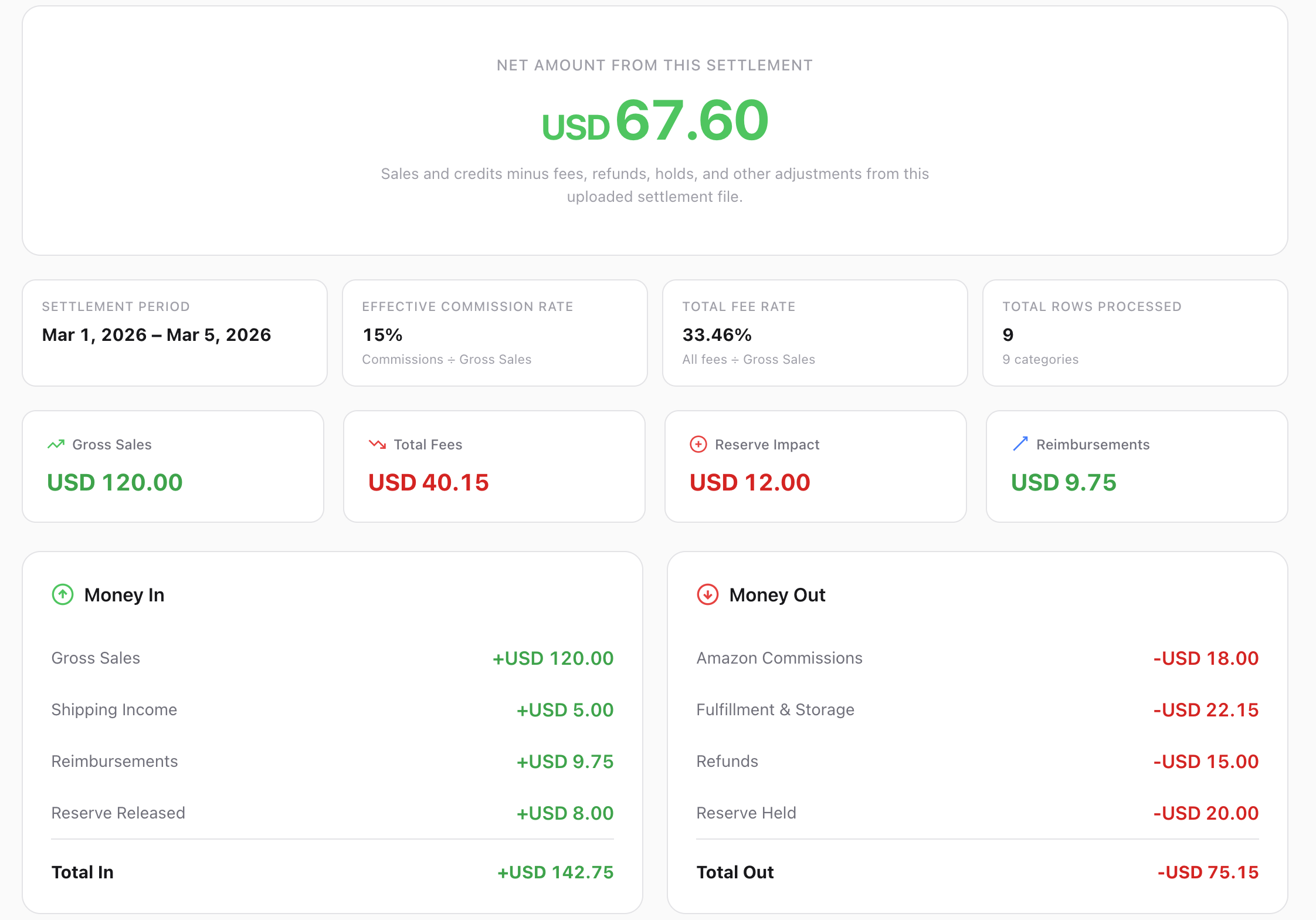
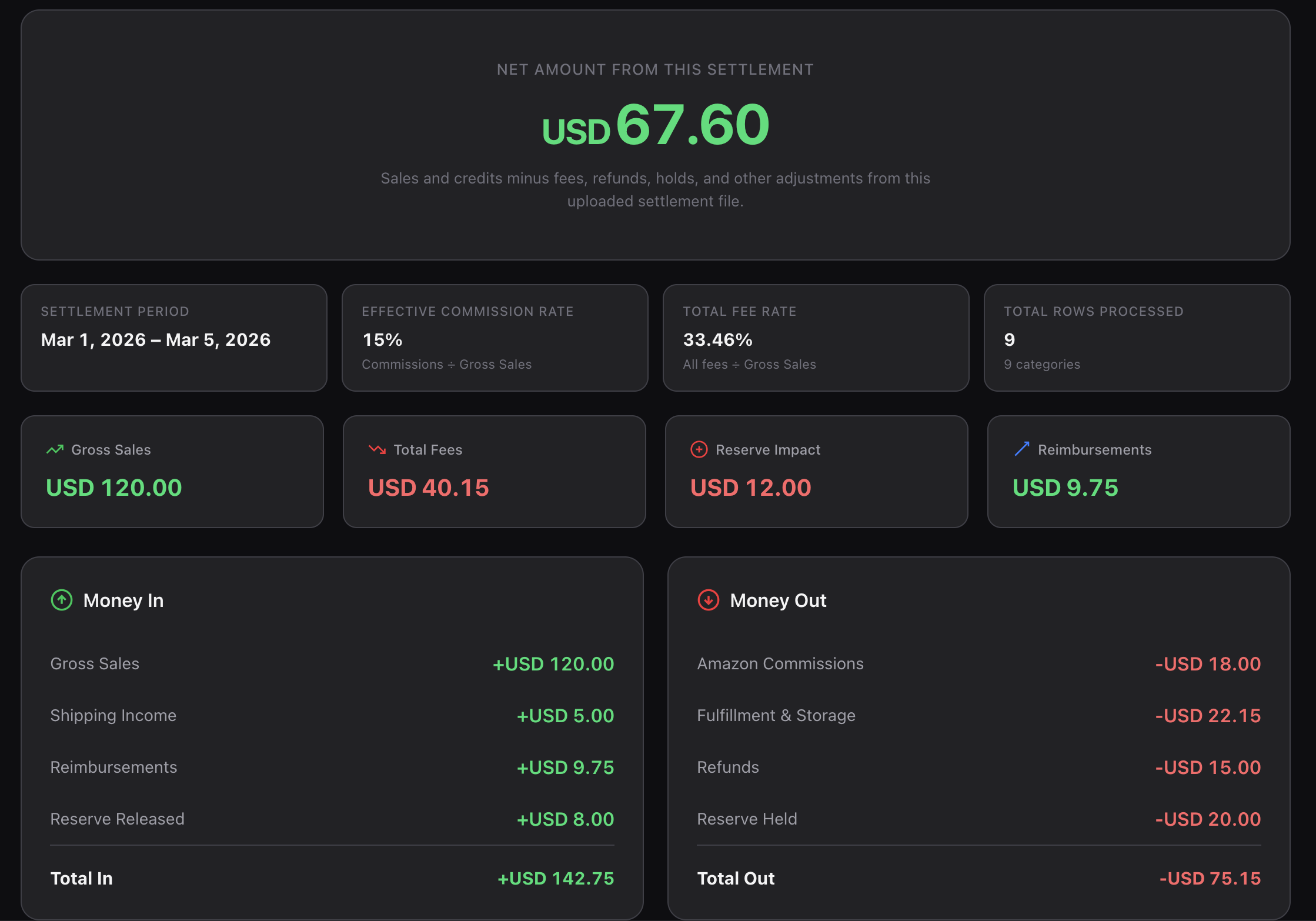
A clear payout breakdown, not a wall of data
Upload a settlement file and get a structured analysis you can actually read.
How it works
Three steps to clarity
Export from Seller Central
Download a Settlement Report Flat File V2 (.txt or .csv) from your Amazon Seller Central account.
Upload the file
Drop it here or click to browse. The file is parsed and categorized in seconds.
Read your breakdown
See every fee, refund, and reimbursement mapped to a category — with unknowns flagged explicitly.
FAQ
Common questions
What file format does PayoutExplained support?
We support the Settlement Report Flat File V2 from Amazon Seller Central. This is the tab-delimited .txt or .tsv file you can download from the Payments section. CSV exports from Seller Central are also accepted.
Does it support Flat File V2 specifically?
Yes. The parser is built specifically for the V2 settlement report format. It detects headers, skips metadata rows, and handles both the standard and extended column layouts.
What happens with rows that can't be categorized?
They are flagged as unknown and shown separately in your results. We never guess on unclear rows — if a transaction doesn't match a known rule, it's surfaced explicitly so you can review it.
Does it support EU number formats?
Yes. Both US format (1,234.56) and EU format (1.234,56) are detected and parsed correctly. Ambiguous values that could be either format are rejected with a warning rather than guessed.
Can I export the results?
Yes. You can download a categorized CSV with every row mapped to its fee category. This is useful for bookkeeping, accounting imports, or further analysis in a spreadsheet.
Is my file stored anywhere?
No. Your file is sent to the server for processing, parsed in memory, and discarded immediately. There is no database, no user accounts, and no data retention.
Who is this tool for?
Amazon sellers (FBA or FBM) who want to understand their settlement payouts without spending hours in spreadsheets. It's also useful for bookkeepers and accountants who reconcile Amazon payouts.
Learn more
Amazon settlement reports, explained
Guides and breakdowns to help you understand every part of your Amazon payout.
Why Is My Amazon Payout Lower Than Sales?
Common reasons your disbursement doesn't match your order total.
What Is Current Reserve Amount on Amazon?
What the reserve hold means, why it feels high, and when Amazon releases it.
Amazon Settlement Report Explained
What each column means and how to read the Flat File V2 format.
What Is Previous Reserve Amount Balance on Amazon?
What prior reserve carryover means and how it differs from the current hold.
Want automated settlement reports when they’re ready?
Get updates when account-connected imports, recurring email summaries, and accountant-friendly workflows are available.
No spam. Just product updates when there’s something real to share.
Try it with your own settlement file
No account needed. Upload a file, get your breakdown, download the CSV.
Free to use. No sign-up. Your file is processed in memory and not stored.